Claim Exports
Filing happens in batches. A batch gathers the claims that are Ready, produces the EDI file your clearinghouse or payer receives, and then never changes.
Who Can See It
Section titled “Who Can See It”User only, when the client is licensed for claims.
The List
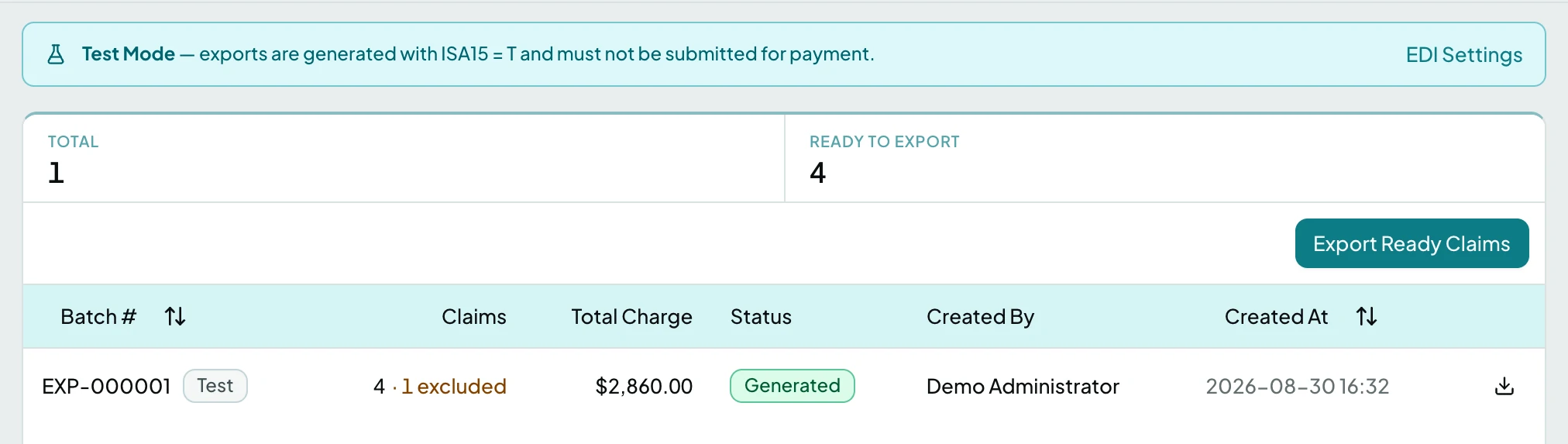
Section titled “The List”Ready to Export counts what the next batch would take. If it reads zero, no claim has passed review yet.
| Column | What it shows |
|---|---|
| Batch # | The batch number, with a Test badge when it was generated in test mode |
| Claims | How many claims it carries, and how many were excluded |
| Total Charge | The batch total |
| Status | Whether it generated and was delivered |
| Created By | Who exported it |
| Created At | When |
Statuses
Section titled “Statuses”| Status | What it means |
|---|---|
| Pending | The batch is being generated |
| Generated | The file exists and is ready to send |
| Validation Failed | No claim passed validation, so nothing was exported |
| Failed | Generation itself failed |
| Transmitted | The file reached its destination |
| Transmit Failed | The file was generated but could not be delivered |
The Batch Page
Section titled “The Batch Page”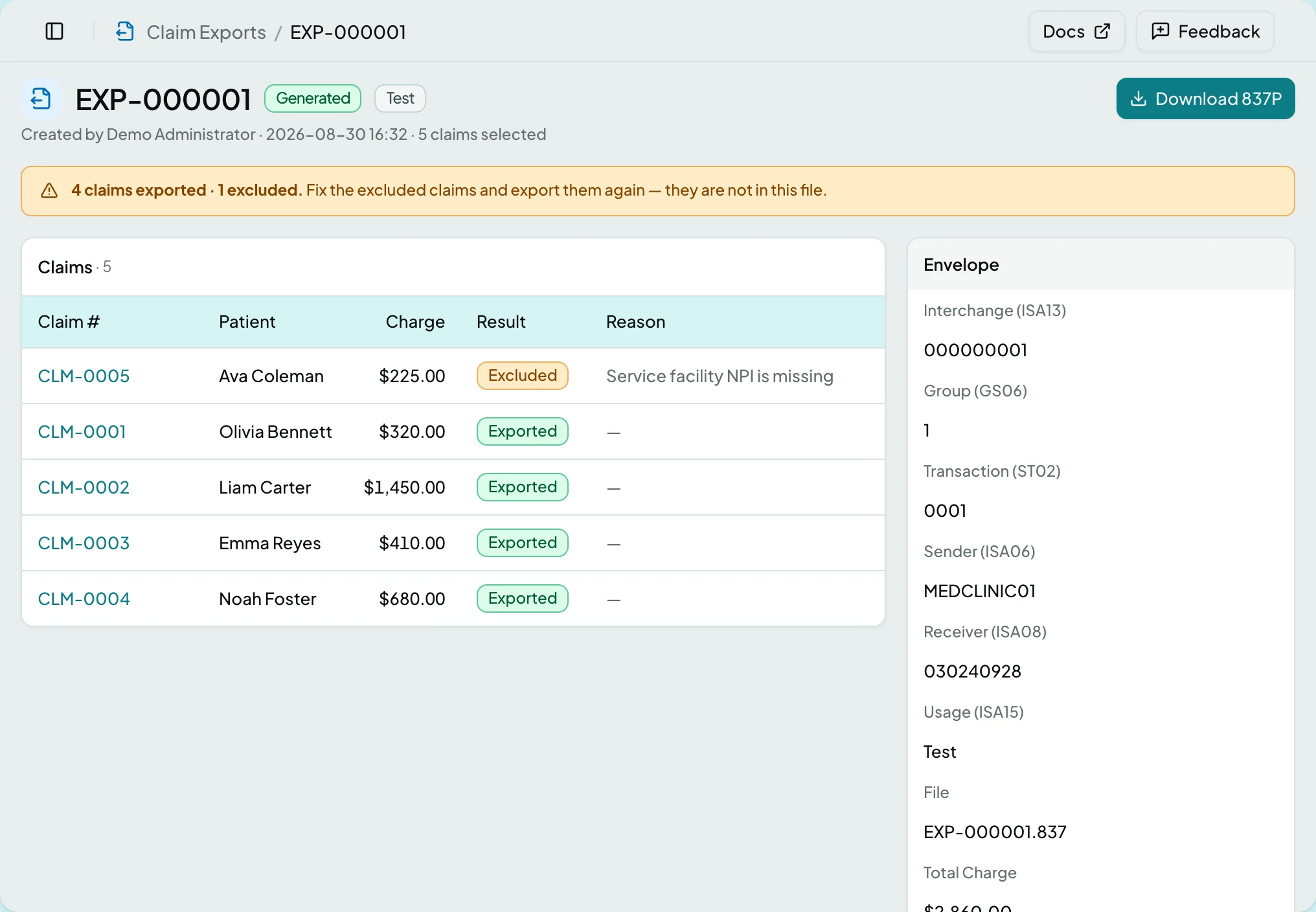
| Section | What it holds |
|---|---|
| Claims | Every claim in the batch, each Exported or Excluded with a reason. Excluded claims sort first, so the page reads as a fix-it list |
| Envelope | The EDI control numbers: Sender (ISA06), Receiver (ISA08), Usage (ISA15), Interchange (ISA13), Group (GS06), Transaction (ST02) |
| Delivery | Where the file went, and when. Shown only once a connection or a transmission exists |
Usage (ISA15) is what distinguishes a test file from a live one.
Actions
Section titled “Actions”| Action | What it does | When it is offered |
|---|---|---|
| Export Ready Claims | Creates a batch from every Ready claim | On the list, once EDI settings are configured |
| Download 837P | Retrieves the generated file | On a batch that produced one |
Export Ready Claims opens a dialog with a Deliver to Connection picker, offering Download only or one of the client’s active connections. Choosing a connection pushes the file into that connection’s output folder. If the client is not licensed for connections, the dialog says so in one line and the file is download only.
States
Section titled “States”- No export batches yet on the list, pointing at Export Ready Claims.
- Generating… says the page updates itself, so there is nothing to refresh.
- This batch has no claims.
- No claims passed validation - nothing was exported.
- The export failed.
- The file was generated but could not be delivered.
- Test Mode - the banner says exports carry
ISA15 = Tand must not be submitted for payment. - Blocked - without the claims module the screen is not in the sidebar, and a saved link to it says the module is not part of your plan.
Batches are immutable: a permanent record of what was filed and when. A retry is a new batch rather than a revision of the old one, so the filing history stays honest.
Related: Claims · The Claim Page · Export Ready Claims · A Claim Will Not File