The Rule Workspace
Where a rule is authored. The same surface serves a new rule and an existing one, so New rule and opening one from the library land in the same place.
Who Can See It
Section titled “Who Can See It”Administrator only, when the client is licensed for rules. Other roles can open a rule and read it, but the workspace tells them it is read-only.
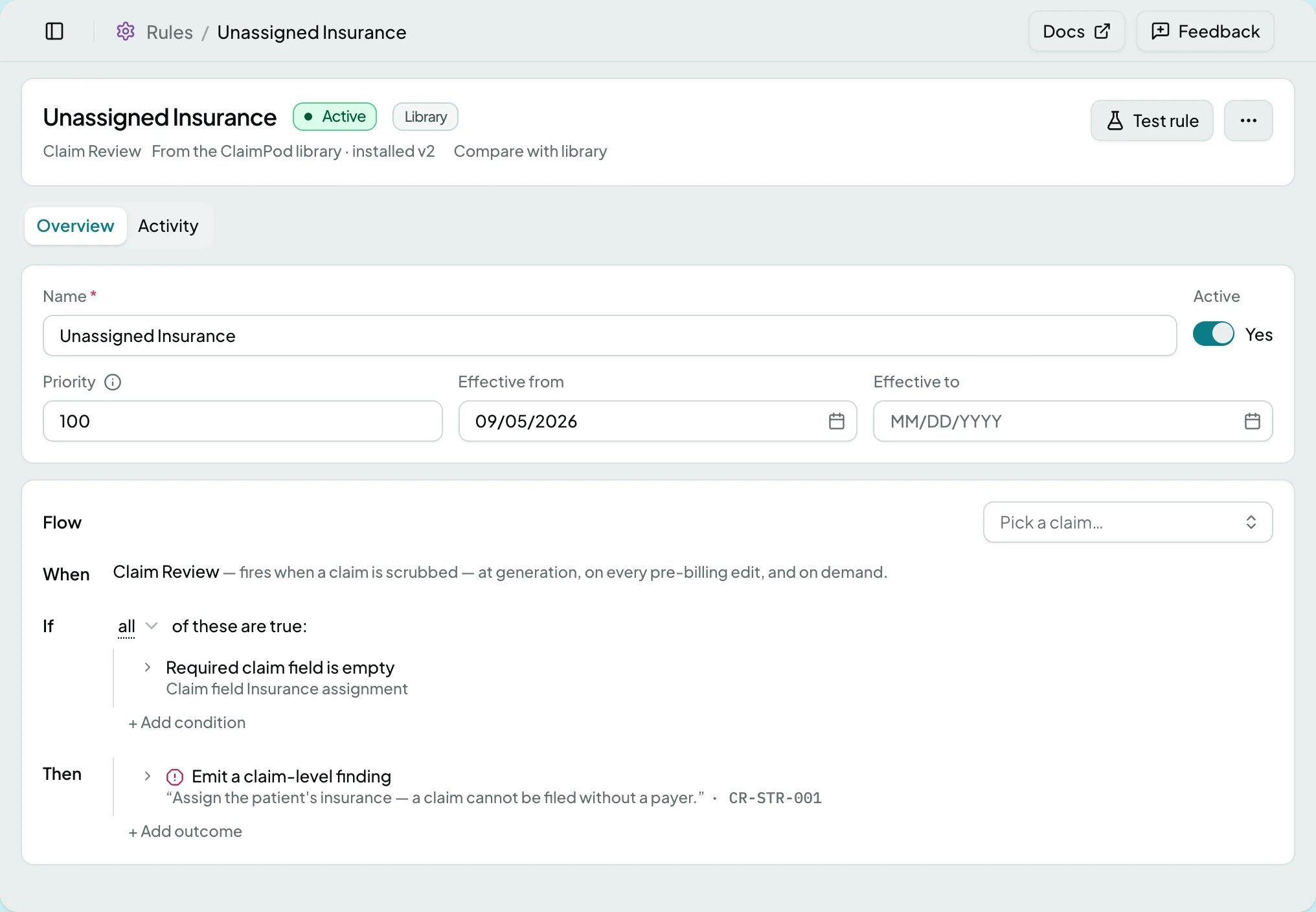
The Tabs
Section titled “The Tabs”| Tab | What it holds |
|---|---|
| Overview | The rule’s settings and its flow |
| Activity | What this rule has done. Only on a rule that exists |
Settings
Section titled “Settings”| Field | What it decides |
|---|---|
| Name | What the rule is called in the library and in findings |
| Active | Whether it runs at all |
| Priority | The order it runs in against other rules on the same trigger |
| Effective from, Effective to | The window it applies in |
The Flow
Section titled “The Flow”A rule reads in three parts: When names the trigger, If lists the conditions, and Then the outcomes. Pick the trigger first - until one is chosen the conditions and outcomes stay locked, because what a rule can ask about depends on the moment it runs.
The If row carries its own matcher: whether all of the conditions must hold, or any one of them.
Conditions describe what must be true. Outcomes are what happens when it is - usually a finding on a field, sometimes routing the record to a queue.
Rules From the Library
Section titled “Rules From the Library”A rule installed from the ClaimPod library says so, with the version installed. Compare with library shows what has changed upstream since, so a local edit is never silently overwritten and an upstream improvement is never missed.
Actions
Section titled “Actions”| Action | What it does | When it is offered | When it is offered but greyed |
|---|---|---|---|
| Save | Stores the change | On an existing rule | - |
| Create rule | Stores a new rule | On a new rule | - |
| Test rule | Runs it against real records without saving | Always | Until a trigger is picked and at least one condition exists |
| Duplicate | Starts a new rule from this one | On an existing rule, for an Administrator | - |
| View History | Shows what changed and when | On an existing rule | - |
| Delete | Removes the rule | On an existing rule, for an Administrator | - |
Test rule is the safe way to answer “what would this have done”, because it never writes a finding.
States
Section titled “States”- Pick a trigger to unlock conditions and outcomes on a new rule.
- Read-only for your role - a non-administrator sees the rule and a note that an Administrator can edit it.
- This rule no longer exists if it was deleted, with a way back to the library.
- Blocked - without the rules module the screen is not in the sidebar, and a saved link to it says the module is not part of your plan.
Related: Rules · How Rules Work