Import Mappings
One template per file shape. Build it once per source and every run from that source reads the same way.
Who Can See It
Section titled “Who Can See It”Administrator only, when the client is licensed for import mappings.
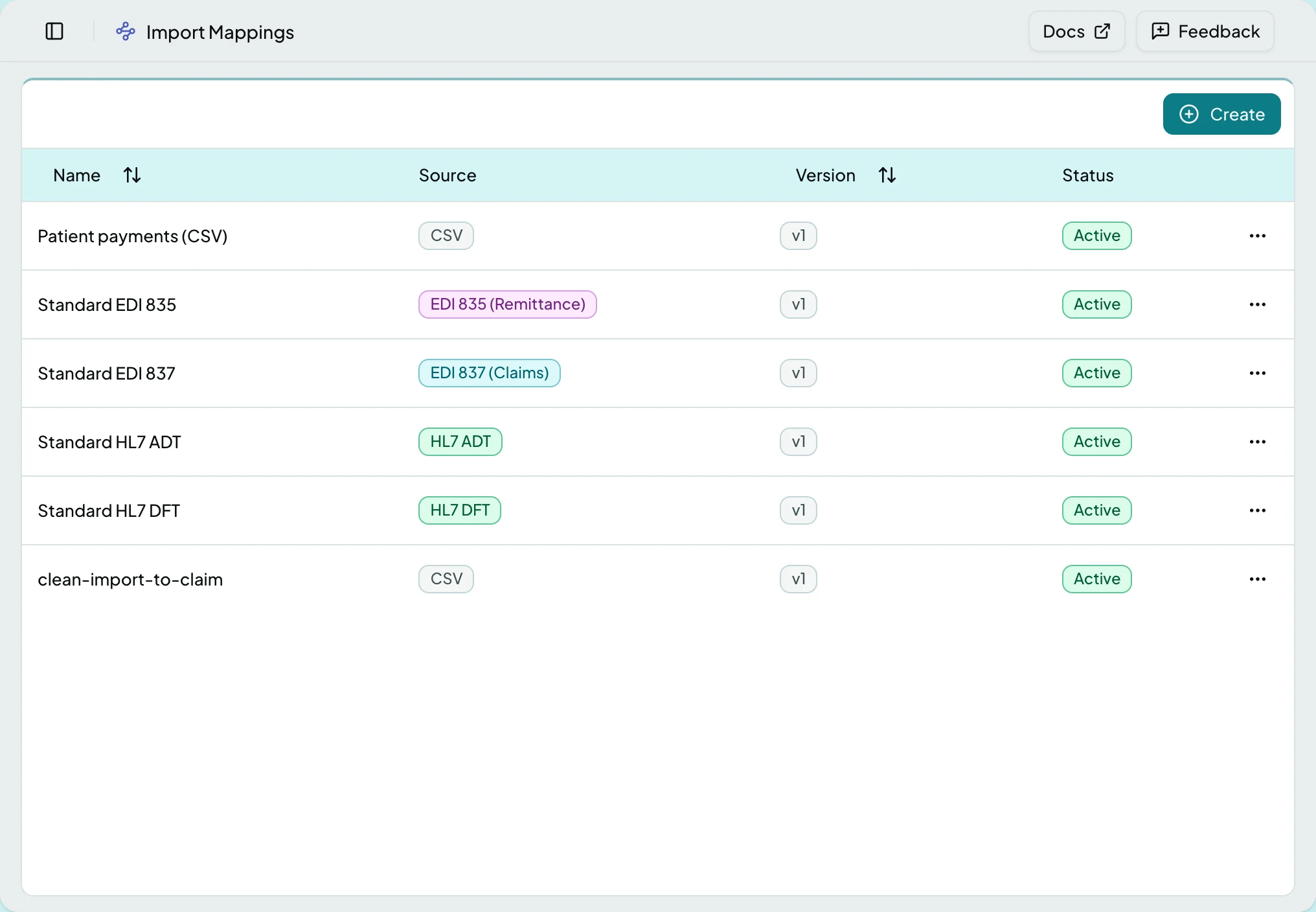
The List
Section titled “The List”| Column | What it shows |
|---|---|
| Name | The template |
| Source | The file shape it reads: CSV, EDI 837 (Claims), EDI 835 (Remittance), HL7 ADT or HL7 DFT |
| Version | Which revision is live |
| Status | Draft, Active or Superseded |
Standard templates for each supported shape are seeded, so a new client starts with them rather than nothing.
The Builder
Section titled “The Builder”Opening a template opens the builder.
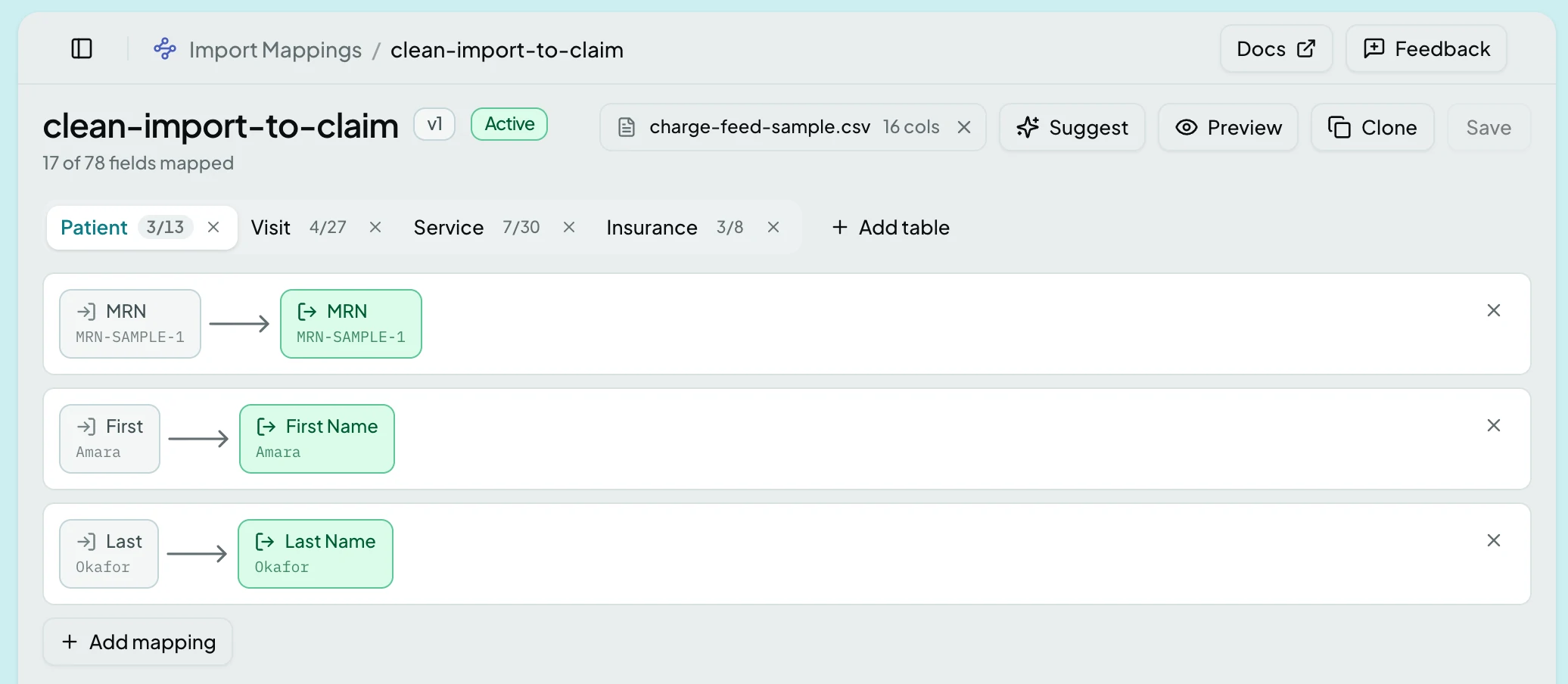
Each row pairs one column in the file with one field in ClaimPod, and carries a value from the attached example so you can see what will land where. Tabs above group the target fields by record, and each counts how many of its fields are mapped, against a total for the template.
Which tabs you get follows the import type, not a fixed list: a patient file offers Patient, Visit, Service and Insurance, an 835 offers Remittance and Remittance Line. Records that only make sense inside another are edited there rather than getting a tab - diagnoses are mapped from the Visit tab, under Add diagnosis mapping.
Actions
Section titled “Actions”| Action | What it does | When it is greyed |
|---|---|---|
| Suggest | Proposes a mapping from the example file | Until an example file is attached |
| Preview | Shows the records a run would create, without creating them | Until an example file is attached |
| Clone | Starts a new template from this one | - |
| Save | Stores the change | Until something has changed, and while preview errors stand |
Preview is the cheapest place to catch a wrong column, because after activation the same mistake becomes rows in an import review queue.
States
Section titled “States”- Empty - the list offers Create, though the standard templates are seeded.
- Blocked - without the import mappings module the screen is not in the sidebar, and a saved link to it says the module is not part of your plan.
Changing an active template changes how future runs read the file. It does not revisit what already imported.
Related: Connections · Build a Mapping Template · The Queue Processor