Claims
Every claim through its lifecycle, and the batches that file them.
Who Can See It
Section titled “Who Can See It”User only.
The Lifecycle
Section titled “The Lifecycle”| Status | What it means |
|---|---|
| Draft | Editable. Findings paint the fields needing attention. |
| Ready | Passed review, waiting for a batch. Read-only. |
| Submitted | Left ClaimPod in an export batch. |
| Accepted | The payer acknowledged it. No money has moved yet. |
| Denied | The payer refused it. The remittance says why. |
| Paid | A remittance posted against it. |
| Settled | The payer processed it and nothing is owed by anyone, without money moving on this claim. The normal outcome for capitated care, where the contract already paid for it. |
| Voided | Withdrawn. It files nothing and accepts no payment. |
Editing a Ready claim or its source visit returns it to Draft. That is the intended way to change one.
The last four are reached by the money, not by you. A remittance that is still held for review moves nothing - the status changes only when the posting lands. Reverse a posted remittance and the claim steps back to where it was.
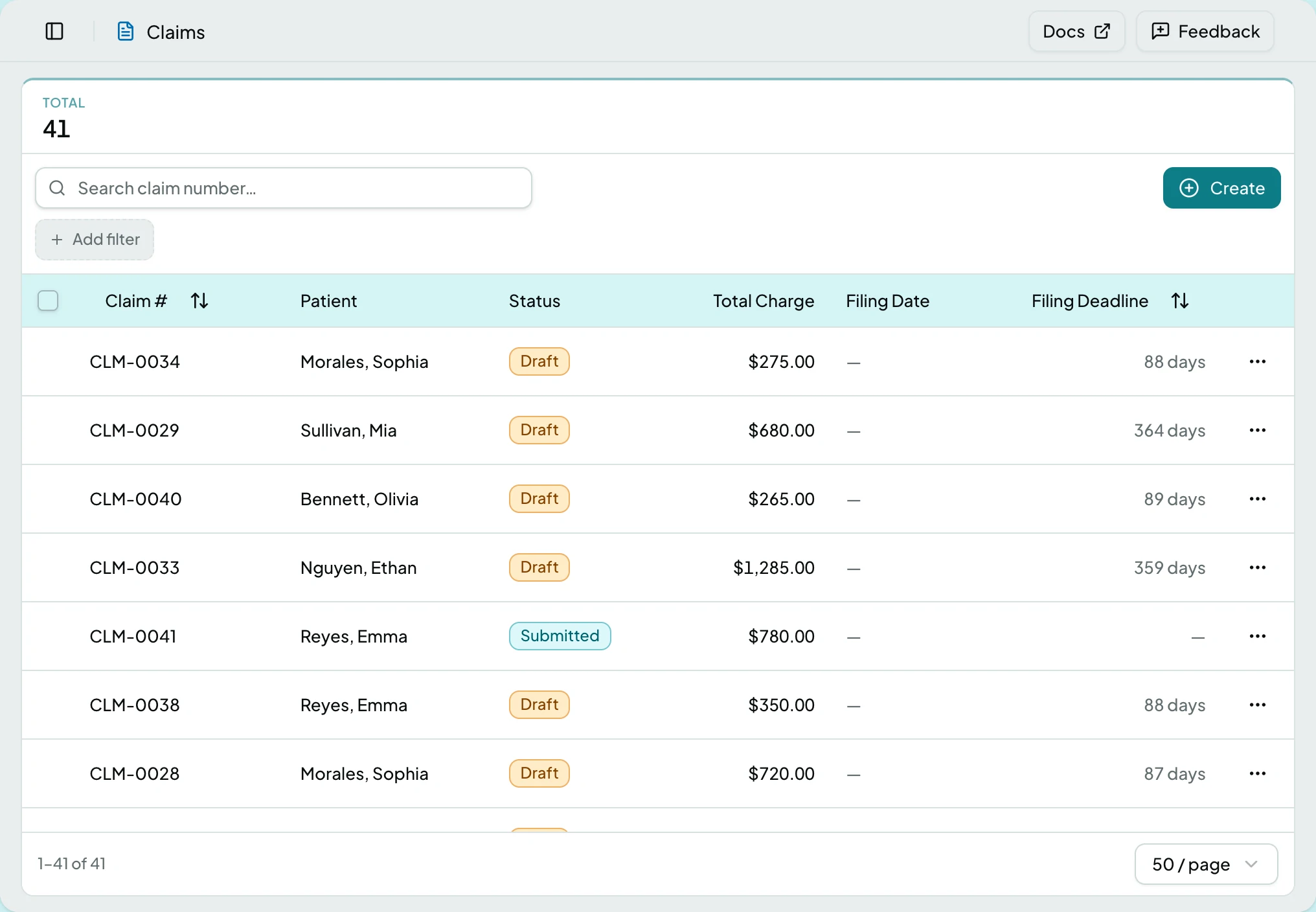
The List
Section titled “The List”| Column | What it shows |
|---|---|
| Claim # | The claim number |
| Patient | Who it is for |
| Status | Where it is in the lifecycle |
| Total Charge | What is billed |
| Filing Date | When it was filed, or a dash |
| Filing Deadline | Days left before the payer’s limit |
The claim itself has its own page: The Claim Page.
States
Section titled “States”- Empty - a client with no claims says so; claims arrive from visits, never by hand.
- Blocked - without the claims module the screen is not in the sidebar, and a saved link to it says the module is not part of your plan.
Related: The Claim Page · Claim Exports · Check and Fix a Claim · Export Ready Claims · Analytics · A Claim Will Not File