Users
Who can sign in, what they can do, and which clients they can see. This page covers the Users and Groups screens, because role and client access are one model.
Who Can See It
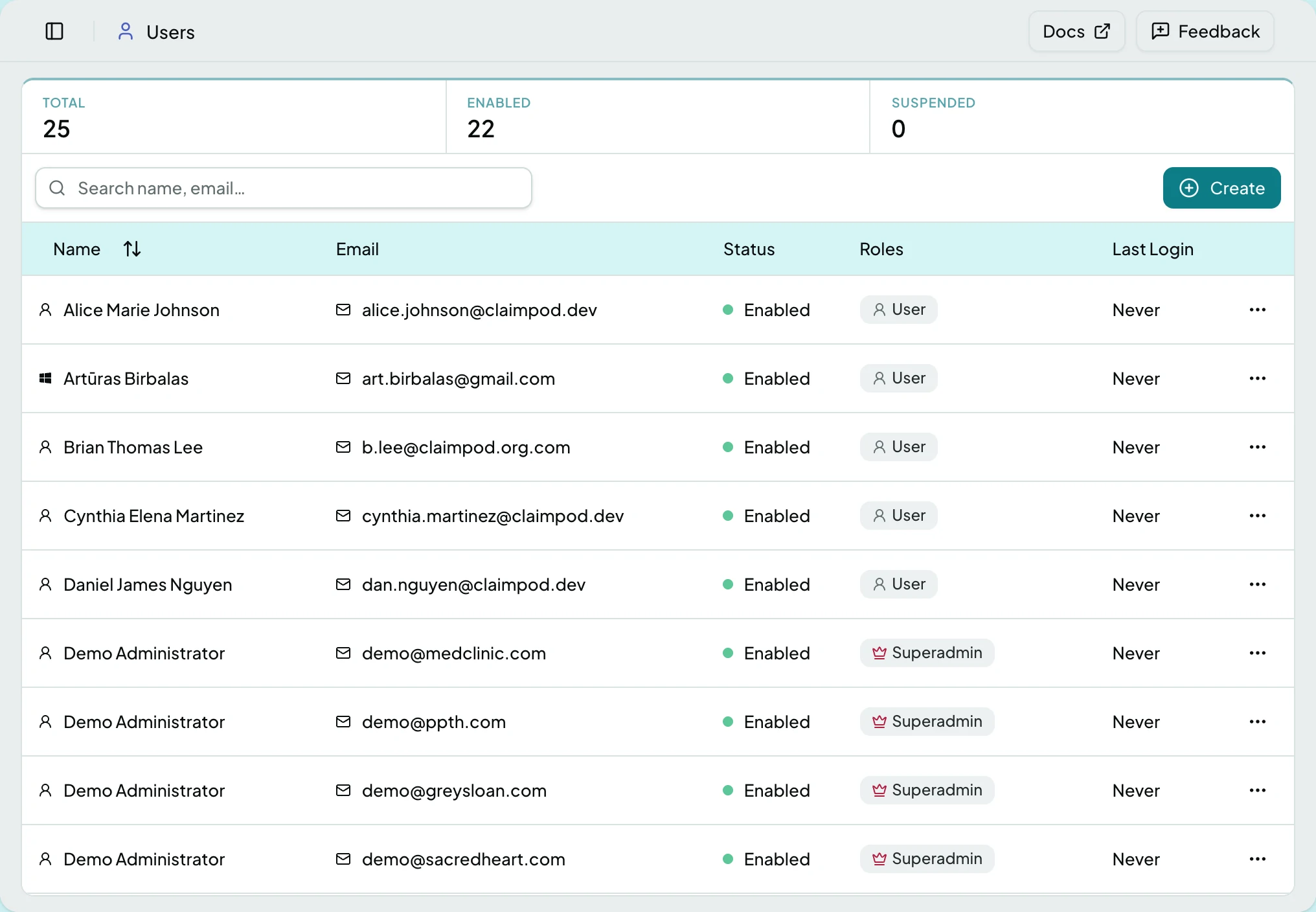
Section titled “Who Can See It”Administrator only.
| Column | What it shows |
|---|---|
| Name | The person |
| How they sign in | |
| Roles | What they may do |
| Status | Whether the account is enabled |
| Last Login | When they were last here |
Groups
Section titled “Groups”| Column | What it shows |
|---|---|
| Name | The group |
| Description | What it is for |
| Roles | The roles it confers |
| Members | How many people are in it |
A group bundles access for a team, so a new joiner inherits it rather than being configured by hand.
Role and Client Are Separate
Section titled “Role and Client Are Separate”A role says what someone may do; a client grant says where. Holding the User role with no client grant reaches nothing, and the account looks correctly set up while doing so. Both are needed.
Actions
Section titled “Actions”| Action | What it does | When it is offered |
|---|---|---|
| Create | Invites a user, or makes a group | Always |
| Edit | Changes roles or client access | From the row menu |
| Delete | Removes the account or group | From the row menu |
States
Section titled “States”- Empty - each list says what it is for and offers Create.
Related: Add a User and Grant Access · Roles and Access · I Cannot See Something