Clients
Every practice this instance bills for. Each one has its own isolated data, and the switcher in the sidebar decides which you are looking at - Clients explains that model.
Who Can See It
Section titled “Who Can See It”Administrator and Manager.
The List
Section titled “The List”| Column | What it shows |
|---|---|
| Name | The practice |
| Alias | The short name that appears in addresses |
| Contact Person | Who to reach |
| Assigned Users | How many people can see it |
| Created | When it was added |
The Client Page
Section titled “The Client Page”| Tab | What it holds |
|---|---|
| Overview | The client’s own details |
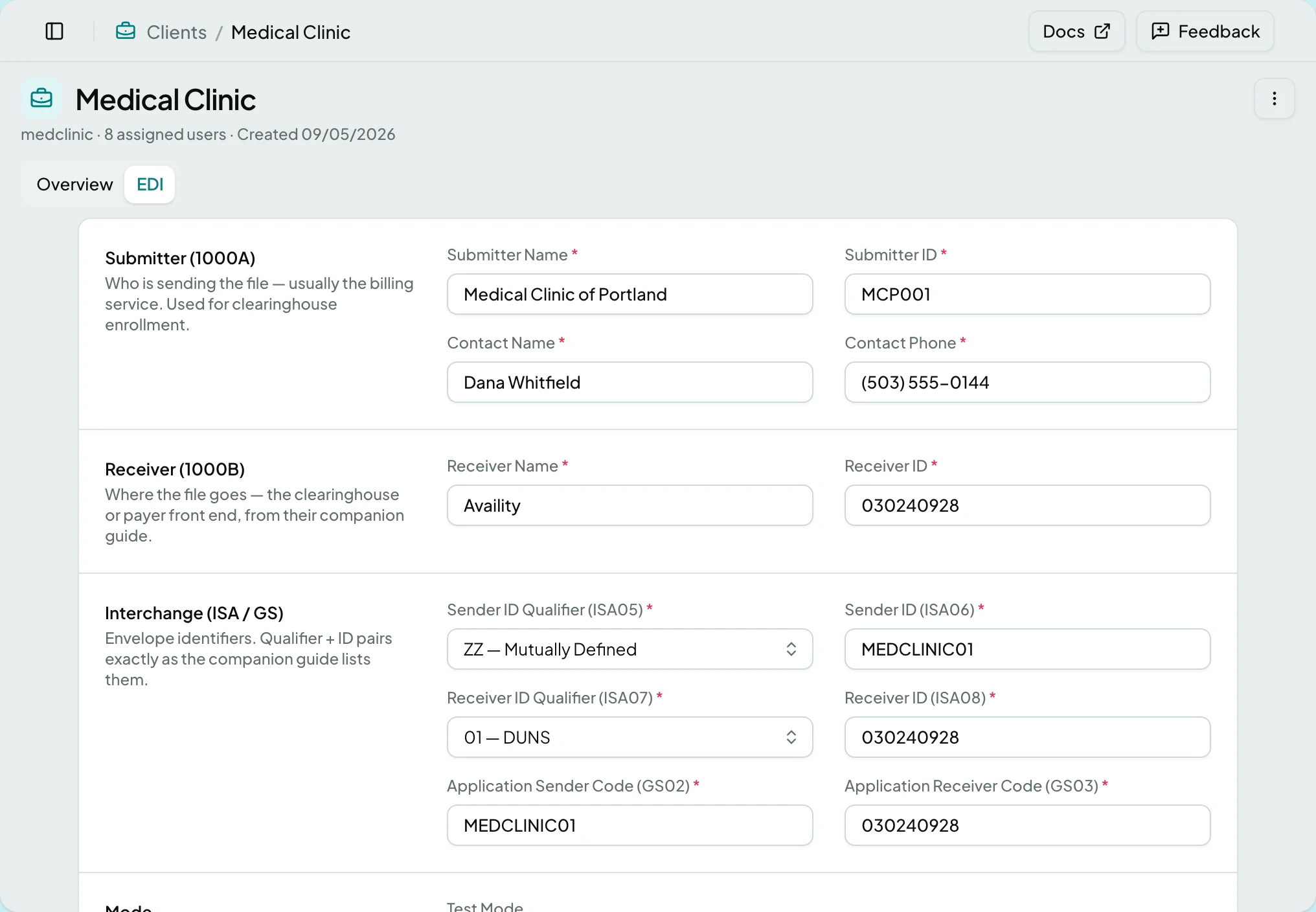
| EDI | The settings claim files are built with |
This is where EDI settings live. A claim that will not export, or an export action that is unavailable, usually traces back here. The EDI tab is only present when the client is licensed for claims.
Actions
Section titled “Actions”| Action | What it does | When it is offered |
|---|---|---|
| Manage Users | Assigns people to this client | Administrator or Manager |
| View History | Shows what changed and when | Administrator |
| Delete Client | Removes the client and its data | Administrator |
States
Section titled “States”- This client no longer exists if it was deleted, with a way back.
- You don’t have access to this client when it is outside your grants.
- You don’t have access to this client’s EDI settings where the tab is reachable but the settings are not.
- A client with no EDI settings shows the empty form rather than an error.
Related: Clients · Claim Exports · Users