The Remittance Page
One remittance in full: what the payer said, what it did to the balances, and the corrections available. Remittances is where you find it.
Who Can See It
Section titled “Who Can See It”User only, when the client is licensed for remittances.
The Tabs
Section titled “The Tabs”| Tab | What it holds |
|---|---|
| Overview | The remittance, the claim it matched, the money, and the service lines |
| Findings | What the remittance rules found, counted in the tab |
What Overview Carries
Section titled “What Overview Carries”| Card | Fields |
|---|---|
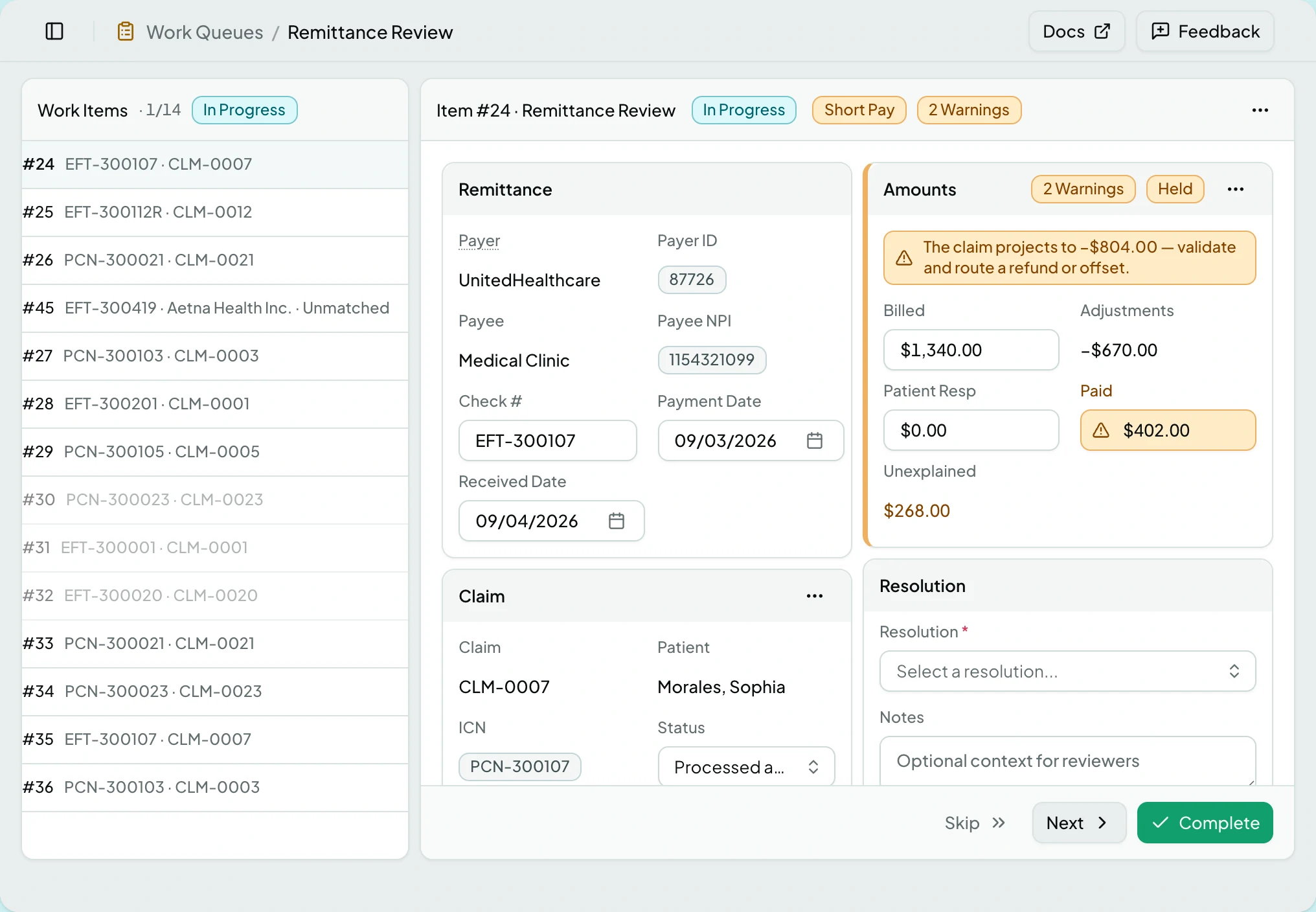
| Remittance | Payer, Payer ID, Payee, Payee NPI, Check #, Payment Date, Received Date |
| Claim | Claim, Patient, ICN, Status |
| Amounts | Billed, Adjustments, Patient Resp, Paid, Unexplained |
| Resolution | Resolution, Notes, Decided |
| Adjustments | One row per adjustment: group, reason, remarks, amount |
Service Lines run full width beneath, with columns Serv Date, Proc, Mods, Grp/RC-Amt and RARC.
Where the 835 omitted a field, the page says what it substituted - for example using the claim’s insurance plan.
Posting Status
Section titled “Posting Status”| Status | What it means |
|---|---|
| Held | Nothing has posted. A review item is holding it |
| Posted | The entries are on the ledger |
| Reversed | The posting was backed out; the ledger is closed to new adjustments |
| Superseded | Closed without ever posting, because a corrected remittance replaced it |
Resolutions
Section titled “Resolutions”A held remittance needs a resolution before its review item can close.
| Resolution | What it means |
|---|---|
| Void | Abandon the claim |
| Write Off | Give up the balance |
| Accept | Take the payment as final |
| Refile | Pursue it again |
They read as a ladder: most terminal first, most recoverable last.
Actions
Section titled “Actions”Several of these appear as a button on the card only while the remittance needs them, and otherwise live in that card’s menu.
| Action | What it does | Where it appears | When it is greyed |
|---|---|---|---|
| Re-check | Runs the remittance rules again | Page header | While a check is running |
| View Raw EDI | Shows the 835 as received | Page header | When raw EDI was not stored |
| Reassociate Claim | Moves it to a different claim | A button on the Claim card while an unmatched finding is open; otherwise the Claim card menu | - |
| Post Manual Adjustment | Adds an adjustment entry | The Adjustments card | Once reversed - the ledger is closed to new adjustments |
| Add Adjustment | Adds a row while editing | The Adjustments card, in edit mode | - |
| Post Reversal | Backs the posting out | A button on the Amounts card while an error finding is open and the posting is neither reversed nor held; otherwise the Amounts card menu | Already reversed - a posting reverses once |
| Supersede | Closes a held remittance without posting it | The Amounts card menu | Already posted - post a reversal instead; or the remittance is not held |
Choosing a claim for Reassociate Claim can still be refused after the fact: a voided target is rejected by the server, not greyed here.
Supersede is for the payer sending the same remittance twice, corrected. It asks first, listing every line that will never post and confirming the claim balance stays where it is. Post the corrected remittance before closing this one: Close Without Posting cannot be undone, and Keep Held backs out.
Edits save through a save bar, and leaving with unsaved work asks first.
States
Section titled “States”- Held for review says
Complete the review item to release the posting. - Posted shows the date, and notes that corrections post new entries rather than editing old ones.
- Nothing to post when the remittance carries no payment and no adjustments.
- Superseded replaces the posting badge, and no posting action is offered again.
- Blocked - without the remittances module the screen is not in the sidebar, and a saved link to it says the module is not part of your plan.
Related: Remittances · Work a Remittance Review Item · Post an Adjustment or Reversal · Payments Look Wrong