Transactions
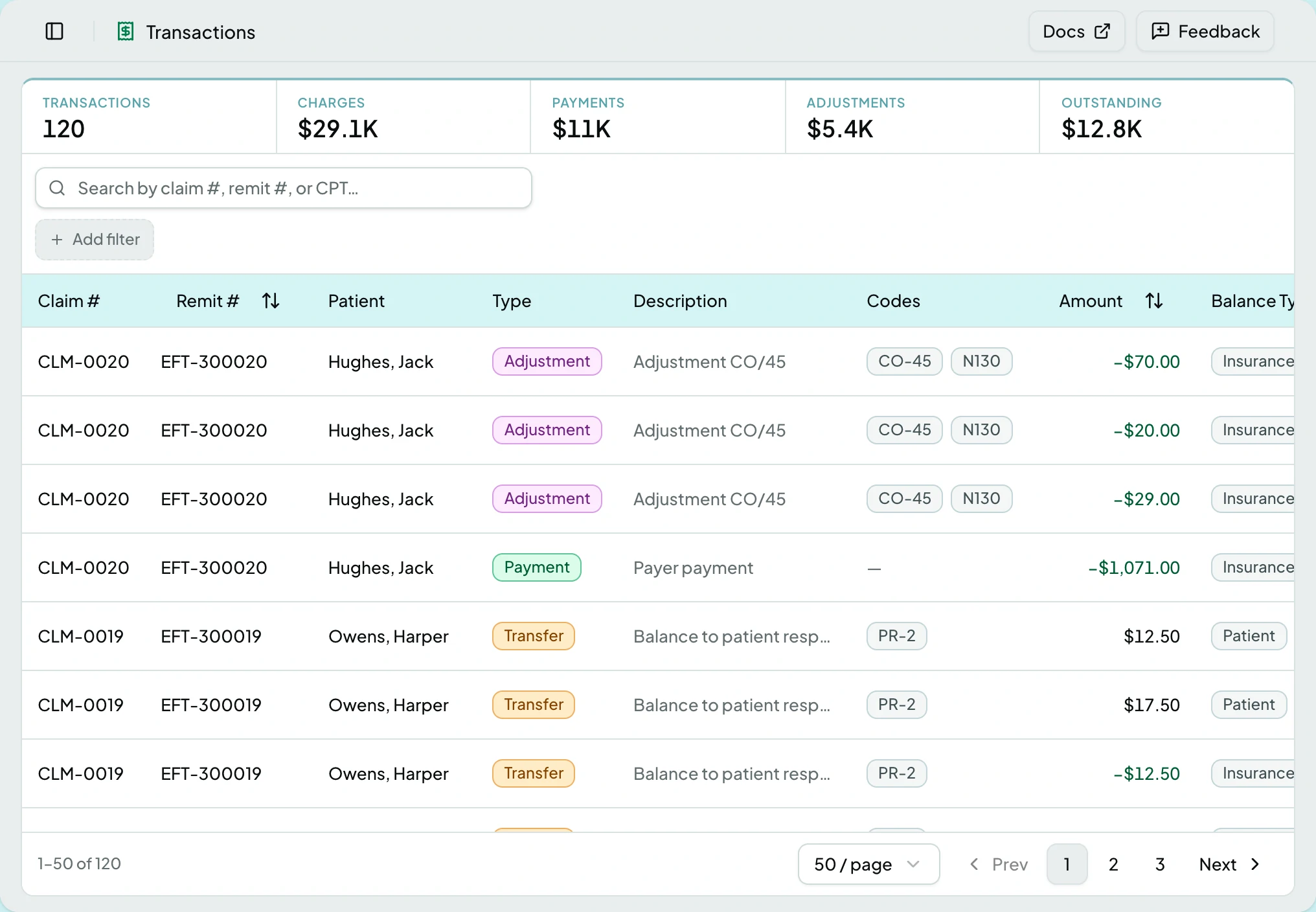
The money ledger for the selected client. Where the Remittances page shows what a payer said, Transactions shows what it did to the balances.
Who Can See It
Section titled “Who Can See It”User, Manager and Administrator, where the client is licensed for transactions.
What Is In It
Section titled “What Is In It”| Type | What it records |
|---|---|
| Charge | What was billed |
| Payment | Money received |
| Adjustment | A contractual or manual reduction |
| Write-off | An amount given up |
| Transfer | Balance moving between responsibilities |
Every entry also carries two axes of its own: whether it is a credit or a debit, and whether it sits against insurance or patient responsibility. A transfer is what moves an entry between responsibilities.
Reading It
Section titled “Reading It”The list filters by claim, type, responsibility and date, and searches by claim number or external id. Charges, Payments and Adjustments are also buttons: clicking one filters the list to that type.
Those three totals follow the claim, the remittance and the date range, so narrowing by date answers balance questions directly. They do not follow the search box, the type, the responsibility or the outstanding filter - under any of those the totals stay the record’s full figures, and say so by reading record total. The rows narrow; the sums do not.
The Entry Page
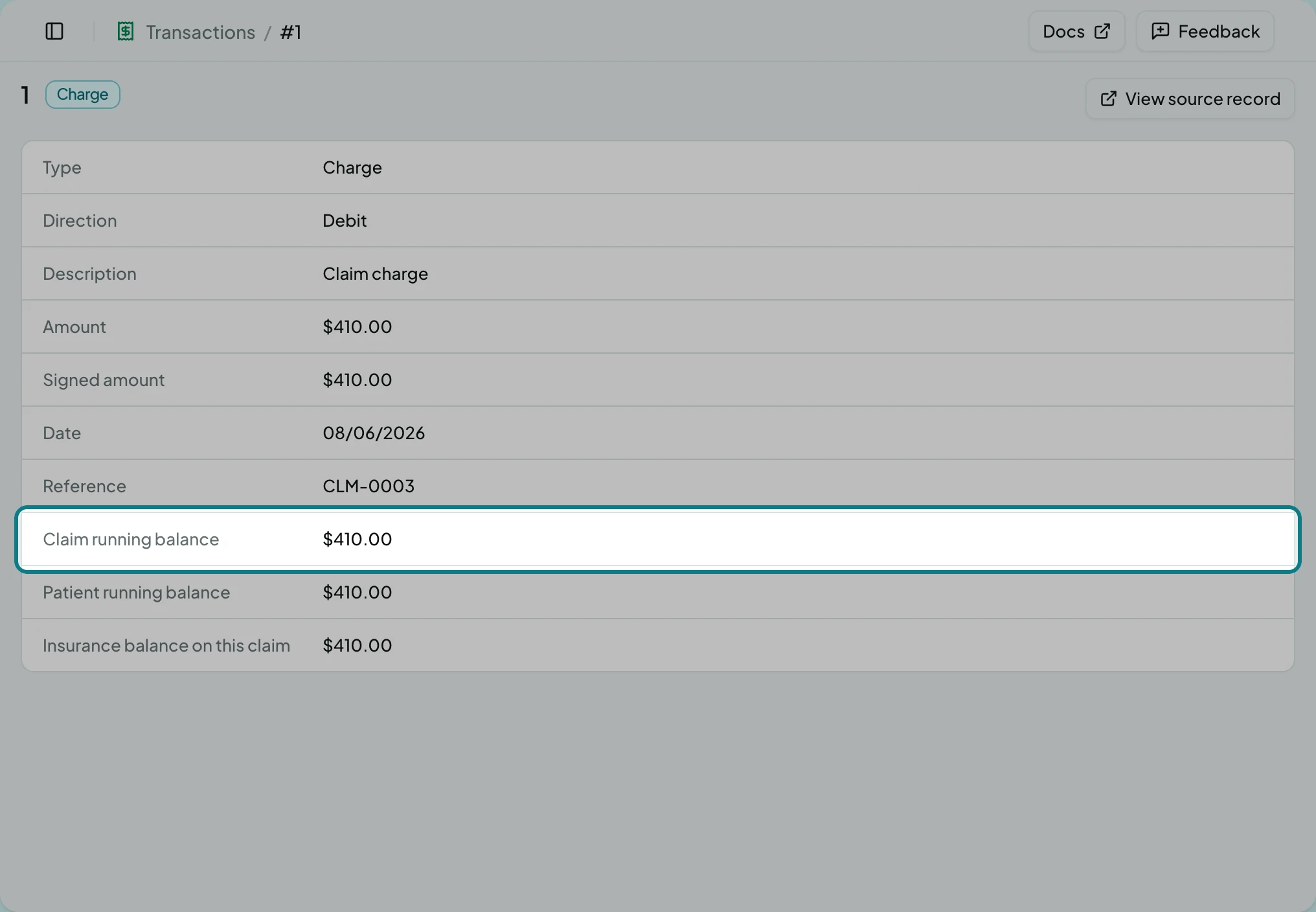
Section titled “The Entry Page”One ledger entry in full.
| Field | What it shows |
|---|---|
| Type | Charge, Payment, Adjustment, Transfer or Write-off |
| Direction | Credit or debit |
| Description | What it was for |
| Amount, Signed amount | The value, and the value with its sign |
| Date | When it posted |
| Reference | The record it came from |
| Claim running balance | What the claim owed after this entry |
| Patient running balance | What the patient owed after this entry |
| Insurance balance on this claim | What the responsible party owed on this claim after it. The label names the party |
The running balances are the answer to “why is this balance what it is” - they show the state after this entry, not the total today. View source record opens whatever produced it.
Actions
Section titled “Actions”The ledger is read-only. Nothing on this screen writes an entry: they arrive from posting a remittance, or from posting an adjustment on the remittance itself.
States
Section titled “States”- Empty - a client with no posted activity shows an empty ledger and a zero summary.
- Filtered to nothing says so, rather than reading as an empty ledger.
- Blocked - without the transactions module the screen is not in the sidebar, and a saved link to it says the module is not part of your plan.
Entries Are Never Edited
Section titled “Entries Are Never Edited”Nothing here is rewritten. A correction is a new entry that offsets an old one, which is why a reversed posting leaves both the original and its reversal visible. The ledger records what happened.
Related: Remittances · Post an Adjustment or Reversal