The Claim Page
One claim in full: what it says, what review found, and what you can do to it. This is where a claim is repaired; Claims is where you find it.
Who Can See It
Section titled “Who Can See It”User only, when the client is licensed for claims.
The Header
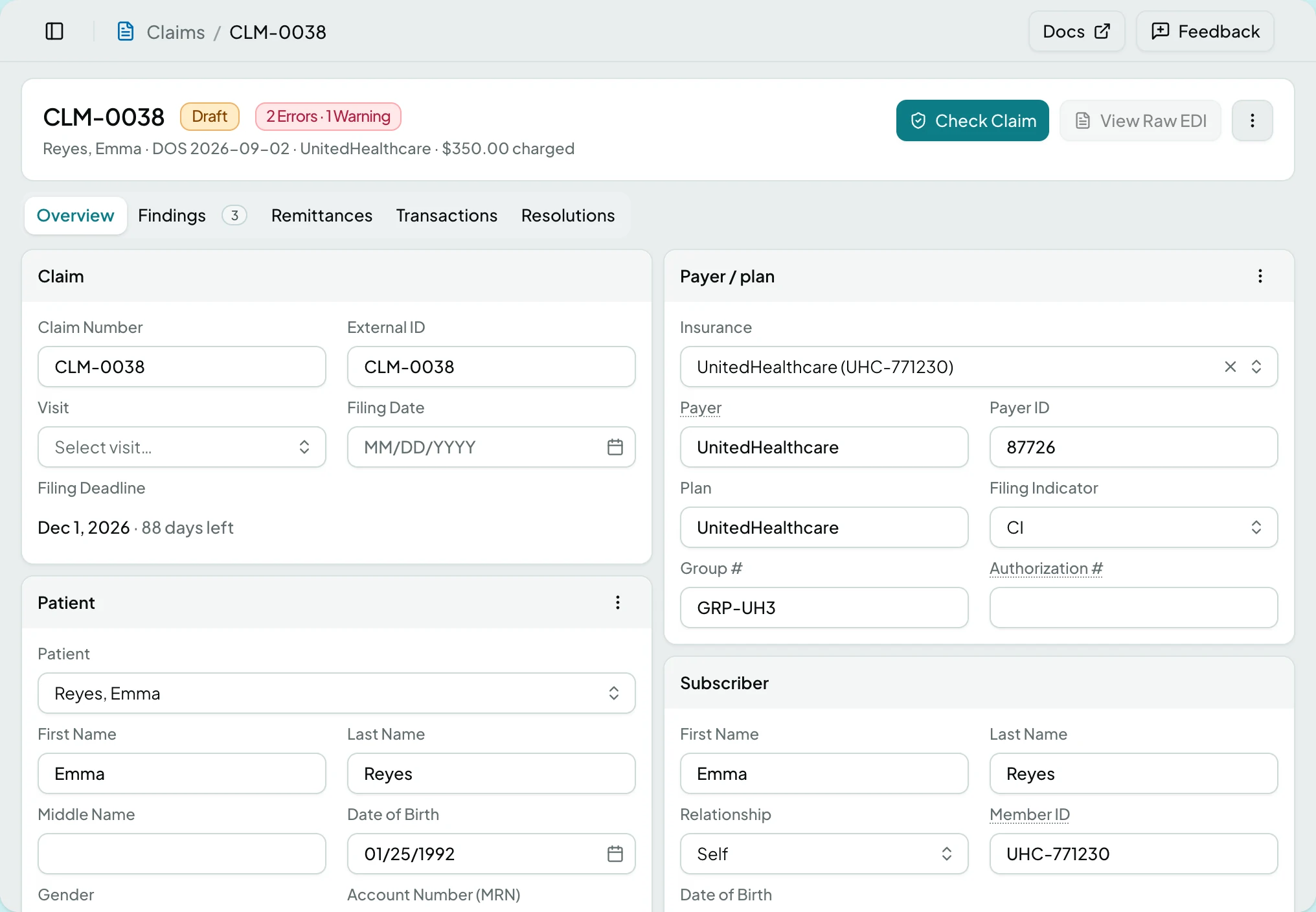
Section titled “The Header”The claim number, its status, and a summary line naming the patient, the payer and the amount charged. A findings count sits beside the status and jumps to the Findings tab. Claims marked for replacement or void carry a chip saying so.
The Tabs
Section titled “The Tabs”| Tab | What it holds |
|---|---|
| Overview | The claim itself, in six cards, and the claim lines |
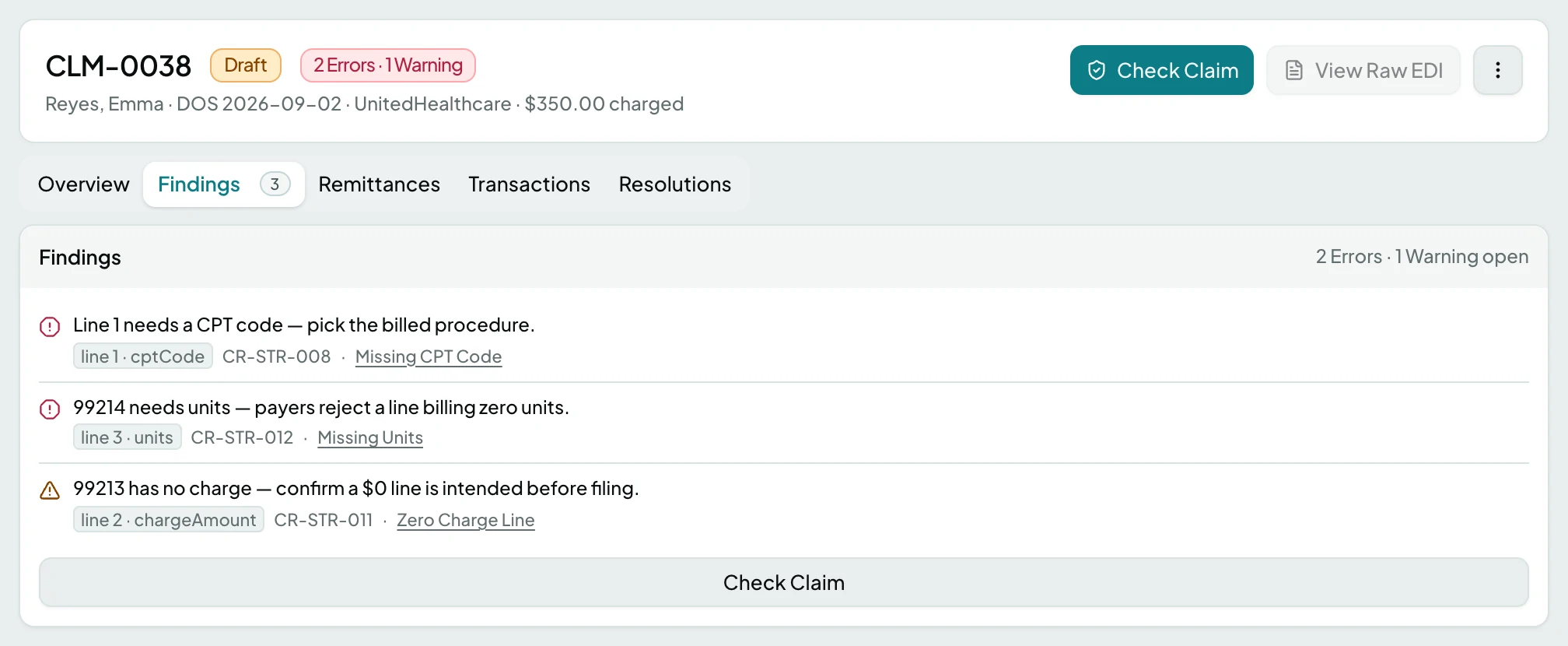
| Findings | What review found, counted in the tab |
| Remittances | What the payer sent back against this claim |
| Transactions | The ledger entries this claim produced |
| Resolutions | Denial work, counted in the tab |
What Overview Carries
Section titled “What Overview Carries”Cards open into edit mode in place, and a save bar appears once anything changes. Leaving with unsaved work asks first.
| Card | Fields |
|---|---|
| Claim | Claim Number, External ID, Visit, Filing Date, Filing Deadline |
| Patient | Patient, First Name, Last Name, Middle Name, Date of Birth, Gender, Account Number (MRN), SSN, Address Line 1, Address Line 2, City, State, ZIP Code |
| Service location | Location, Facility, NPI, Address Line 1, Address Line 2, City, State, ZIP Code |
| Payer / plan | Insurance, Payer, Payer ID, Plan, Filing Indicator, Group #, Authorization # |
| Subscriber | First Name, Last Name, Relationship, Member ID, Date of Birth |
| Providers | Billing, rendering and referring, each with Name or Provider, First Name, Last Name, NPI, Taxonomy, and Tax ID on the billing provider |
Filing Deadline counts down the payer’s limit and colours as it runs out.
Claim Lines
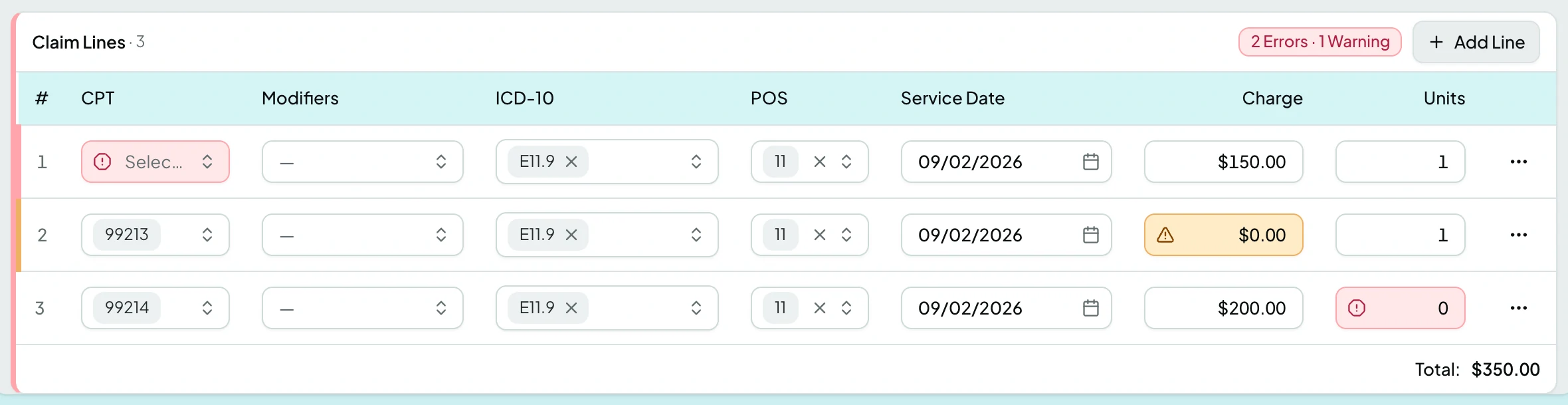
Section titled “Claim Lines”| Column | What it shows |
|---|---|
| # | Line number |
| CPT | The billed procedure |
| Modifiers | Modifiers on the line |
| ICD-10 | The diagnosis it points at |
| POS | Place of service |
| Service Date | When it happened |
| Charge | What is billed |
| Units | How many |
Findings paint the line and the field they concern, so the table shows its own problems.
Actions
Section titled “Actions”Most actions are not offered at all unless the claim is in the right state, rather than offered and greyed. The two have different fixes: a missing action needs the claim moved on, a greyed one tells you what it is waiting for.
| Action | What it does | When it is offered | When it is offered but greyed |
|---|---|---|---|
| Check Claim | Runs the review rules | Draft only | While a check is running |
| Export 837P | Adds the claim to a batch | Ready, and the claim was not imported, is not a stub, and has not been superseded | When a batch already holds it, which the tooltip names |
| View Raw EDI | Shows the generated segments | Always | Until the claim has raw EDI stored |
| Revert to Draft | Reopens a Ready claim | Ready only | - |
| Delete Draft | Discards the claim | Draft only | - |
| Open Resolution Workspace | Works the denial | Denied, with at least one resolution | - |
| Replace & refile | Refiles as a correction, frequency 7 | Filed claims that are not stubs, voided or already superseded | Until the payer’s claim control number arrives with the remittance |
| Void & refile | Withdraws the claim, frequency 8 | As above | As above |
| Copy Claim ID, Open In New Tab | Utilities | Always | - |
Everything past View Raw EDI lives in the header’s overflow menu.
Banners
Section titled “Banners”The claim tells you at the top when something about it is unusual.
| Banner | What it means |
|---|---|
| Awaiting matching 837 import | A stub. Patient and provider details fill in when the 837 arrives |
| This claim was denied | With the reason count, and a link into the resolution workspace |
| Voided by | A later claim voided this one, and links to it |
| Replaced by | A later claim replaced this one, and links to it |
| This claim replaces | This is the correction, and links to the original |
| This claim voids | This is the void, and links to the original |
| Held remittances | Money is waiting on a review item, with a link to it |
States
Section titled “States”- Not checked yet - the Findings tab says so until you run Check Claim.
- All findings resolved says Check Claim will promote the claim to Ready.
- Passed review - a Ready claim is locked for export and reads read-only.
- No resolutions on this claim on the Resolutions tab.
- The claim no longer exists if it was deleted while you were away.
- Blocked - without the claims module the screen is not in the sidebar, and a saved link to it says the module is not part of your plan.
Related: Claims · Check and Fix a Claim · Export Ready Claims · The Claim Loop