Imports
How data enters ClaimPod.
Who Can See It
Section titled “Who Can See It”User and Administrator see Imports. Mapping templates, crosswalks and connections are Administrator only.
Connections and mapping templates have their own pages - Connections and Import Mappings. This page is the runs themselves.
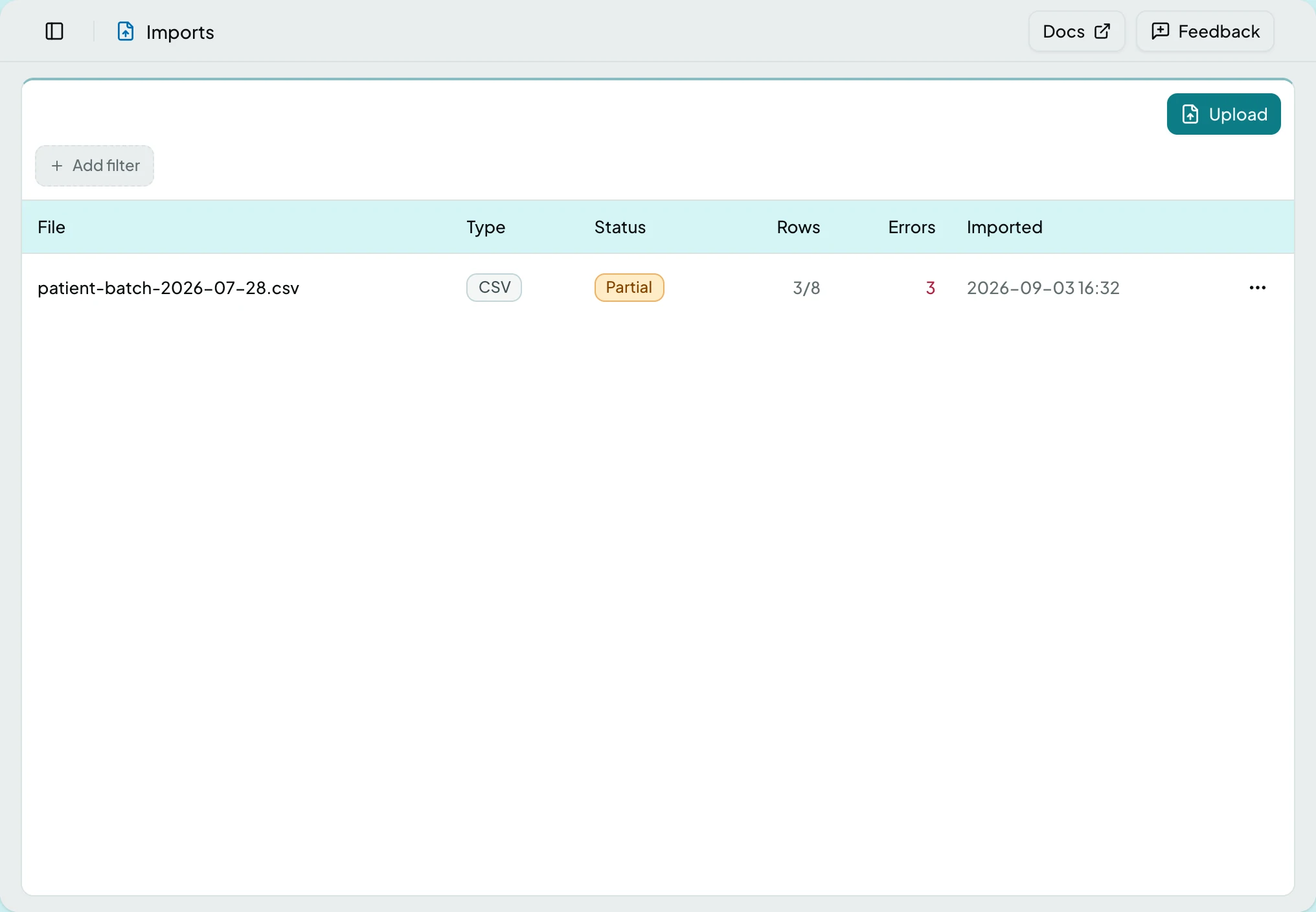
Each file that arrives becomes a run. Rows are staged and validated before anything touches live data. Clean rows flow through; problem rows stop at import review as work items.
| Column | What it shows |
|---|---|
| File | The file that arrived |
| Status | Pending, Processing, Completed, Partial or Failed |
| Rows | Imported, in review, and rejected counts |
The Run Page
Section titled “The Run Page”Opening a run shows what happened to the file.
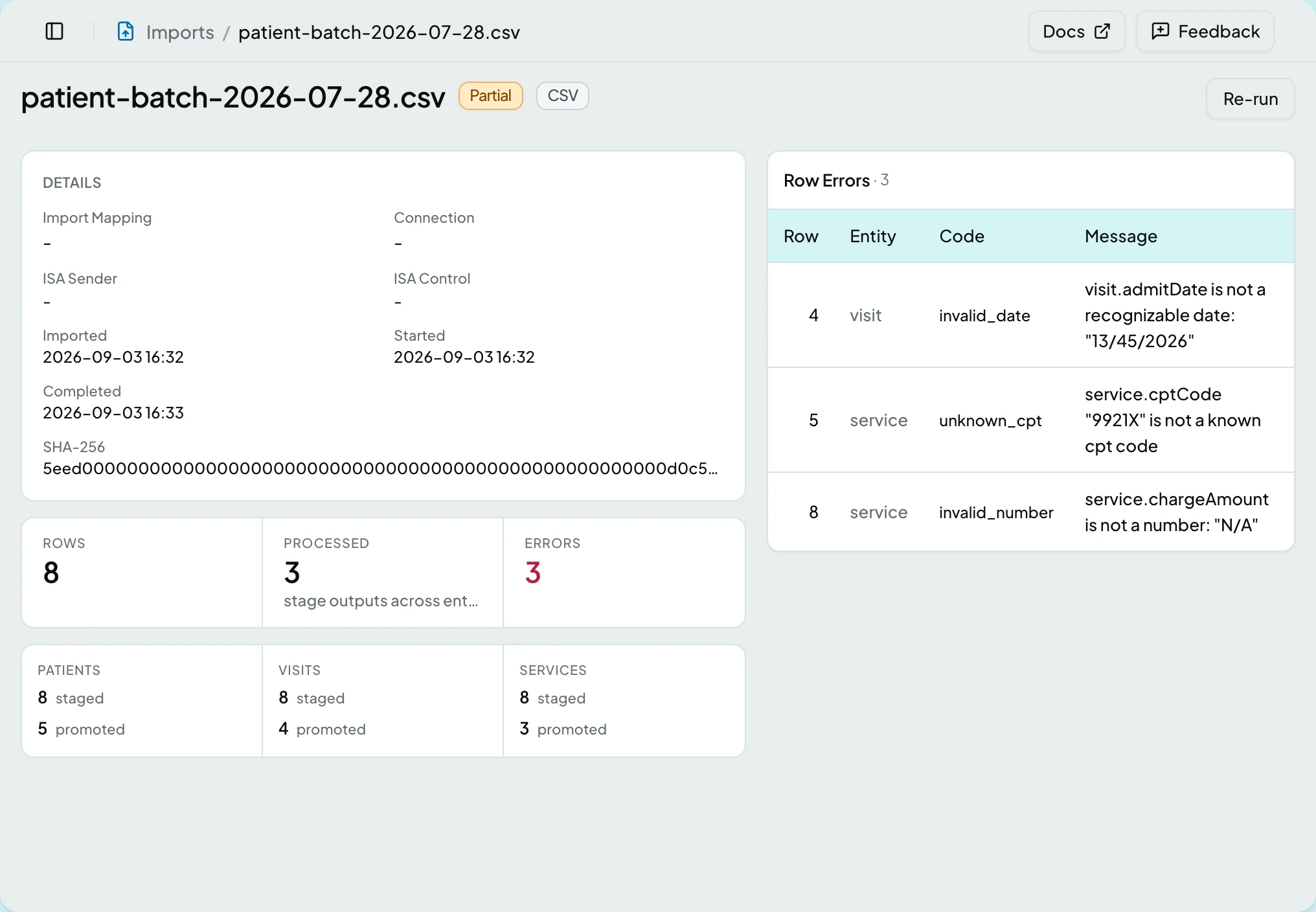
| Section | What it holds |
|---|---|
| Details | The file itself: its mapping template, the connection it came from, EDI control numbers where it was EDI, and a checksum |
| Stages | The pipeline the file went through, each stage with what went in, what came out, how many were rejected, and how long it took |
| Row Errors | Every row that failed, with its Entity, Code and Message |
| Duplicates | Where the file repeated something already imported, naming what it matched |
Counts for rows, records and errors sit above, with each entity showing how many were staged and how many promoted, and how many were skipped as duplicates.
A duplicate is not an error. The file carried something ClaimPod already has - a remittance sent twice, most often - so the row was recognised and skipped rather than posted a second time. The tile and the section only appear when there were any.
Actions
Section titled “Actions”| Action | What it does | Who sees it |
|---|---|---|
| View | Opens the run | Anyone who can reach Imports |
| Re-run | Re-stages and re-promotes the file, superseding the earlier run | Administrator only, and only on a run that failed or completed partially |
A User never sees Re-run. If a run needs repeating, ask an administrator.
States
Section titled “States”- Empty - a client with no imports says so and points at Upload.
- No row errors on a run that imported cleanly.
- Blocked - without the imports module the screen is not in the sidebar, and a saved link to it says the module is not part of your plan.
If a source suddenly rejects everything, see An Import or Queue Is Stuck.
Related: Connections · Import Mappings · Review an Import Row · The Claim Loop