Remittances
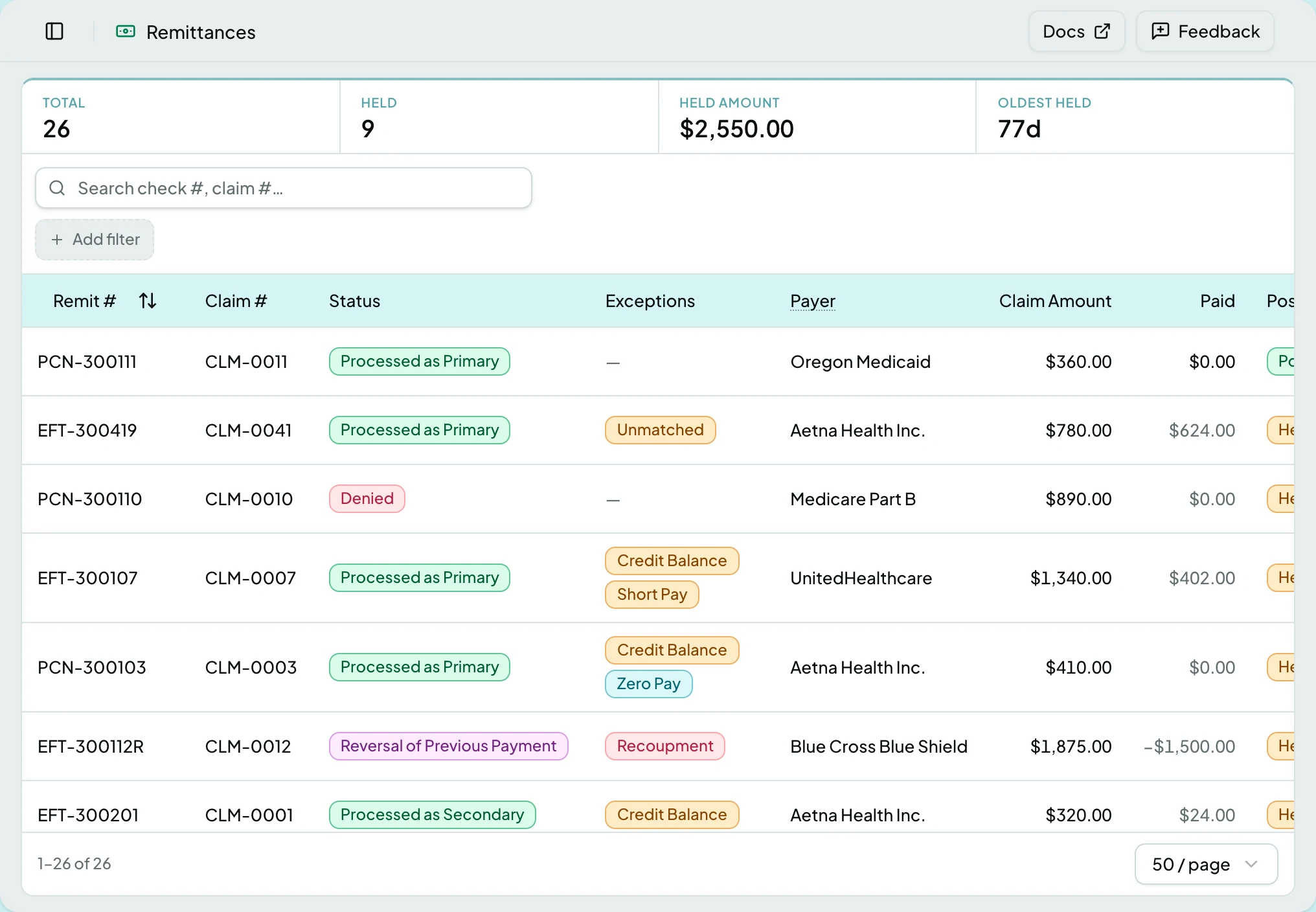
Every remittance received, and the posting each one produced.
Who Can See It
Section titled “Who Can See It”User only, where the client is licensed for remittances.
The List
Section titled “The List”| Column | What it shows |
|---|---|
| Claim # | The claim this remittance matched |
| Status | What the payer did with the claim |
| Exceptions | Findings the remittance rules raised |
| Payer | Who sent it |
| Claim Amount | What was billed |
| Paid | What the payer paid |
| Posting | Whether it posted, is held, or was reversed |
| Patient Resp. | What falls to the patient |
| Check # | The payment reference |
| Payment Date | When the payer paid |
The Remittance Page
Section titled “The Remittance Page”| Card | What it carries |
|---|---|
| Header | Payer, check or EFT reference, dates, and processing status |
| Claim | The claim this remittance matched, and Reassociate Claim |
| Amounts | Billed, allowed, paid, patient responsibility, and Post Reversal |
| Service lines | Line-level adjudication as the payer reported it |
| Adjustments | Claim-level adjustments, and Post Manual Adjustment |
| Resolution | The reviewer’s decision and notes, required before a review closes |
| Findings | Open exceptions, or a note that it posted clean |
Several of these appear as a button on the card only when the remittance needs them, and otherwise live in that card’s menu. The table says where to look.
The remittance itself has its own page: The Remittance Page.
States
Section titled “States”- Held for review says
Complete the review item to release the posting.Nothing posts until the review closes. - Posted shows the date and notes that corrections post new entries rather than editing old ones.
- Nothing to post says so plainly when a remittance carries no payment and no adjustments.
- Where the 835 omitted a field, the page says what it substituted, such as using the claim’s insurance plan.
- Empty - a client that has received no remittances says so; they arrive from the payer, never by hand.
- Blocked - without the remittances module the screen is not in the sidebar, and a saved link to it says the module is not part of your plan.
Related: The Remittance Page · Payments Look Wrong · Work a Remittance Review Item · Post an Adjustment or Reversal