Work Queues
Where review work is held and worked, one work item at a time.
Who Can See It
Section titled “Who Can See It”User, Manager and Administrator, when the client is licensed for work queues.
The Queue List
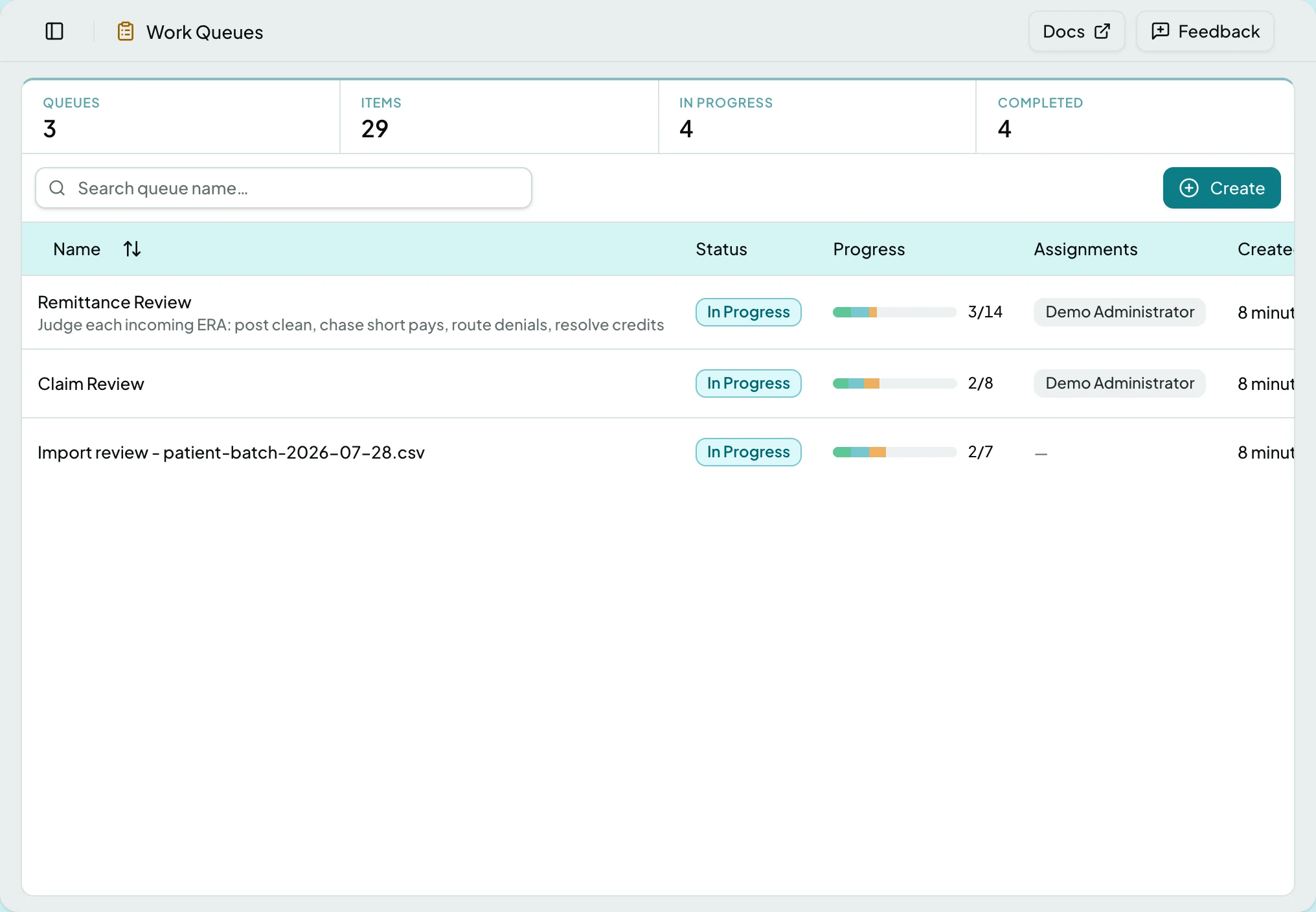
Section titled “The Queue List”| Column | What it shows |
|---|---|
| Name | The queue, and for import queues the file it came from |
| Status | Where the queue stands as a whole |
| Progress | Items done against the total |
| Assignments | Who the queue is assigned to |
| Created | When the queue opened |
| Queue status | What it means |
|---|---|
| Unassigned | Nobody owns it yet |
| Assigned | It has an owner, and no item has been started |
| In Progress | Work has begun |
| Waiting | Blocked on something outside the queue |
| Escalated | Raised for attention |
| Completed | Every item is closed |
Managers and administrators can also Create a queue, and assign or edit one from its row menu.
The processor itself has its own page: The Queue Processor.
States
Section titled “States”- Empty - a queue with no open items shows its progress complete and nothing to select.
- Blocked - without the work queues module the screen is not in the sidebar at all, and a saved link to it says the module is not part of your plan.
Related: The Queue Processor · Work a Queue Item · Review an Import Row